
The SSID meaning is “Service Set Identifier,” which is simply the name of your wireless network. Every WiFi network has an SSID, whether you know it or not, and it is the name that shows up when you search for networks on your phone or laptop. Understanding your SSID helps you manage your network better, boost security, and avoid common connection problems. In this guide, we break down everything you need to know about SSIDs in plain, simple language.
Have you ever walked into a coffee shop, opened your phone, and seen a list of network names pop up on your screen? Each of those names is an SSID. The SSID meaning is straightforward once you break it down. SSID stands for Service Set Identifier, and it is simply the name of a wireless local area network, or WLAN. When you connect to the internet at home, at work, or at a public spot, your device uses the SSID to find and join the right network.
You might think this is a small technical detail that does not matter much. But your SSID WiFi name actually plays a bigger role than most people realize. It affects your network security, your ease of troubleshooting, and even how your neighbors and guests find your connection. Whether you are setting up a new wireless router or trying to fix a connection issue, understanding what an SSID is and how it works puts you in control.
In this article, we will walk through the SSID meaning in plain English. We will cover how to find your SSID, why you should change the default name, how to keep it secure, and the difference between an SSID and WiFi. By the end, you will know more about your own network than most people ever bother to learn.
Key Takeaways
- SSID stands for Service Set Identifier: It is the human-readable name of your wireless network.
- Every WiFi network has an SSID: Even hidden networks use one — they just don’t broadcast it.
- Default SSIDs are a security risk: They reveal your router brand and make you an easier target.
- You can change your SSID anytime: It takes just a few minutes through your router settings.
- SSID hiding adds a small layer of privacy: But it is not a substitute for real security measures.
- SSID and WiFi are not the same thing: WiFi is the technology; SSID is the name.
- A good SSID is unique, recognizable, and free of personal info: Keep it simple and safe.
📑 Table of Contents
- What Does SSID Mean? The Simple Breakdown
- How to Find Your SSID on Any Device
- Why You Should Change Your Default SSID
- SSID Security: What You Need to Know
- SSID vs. WiFi: Understanding the Difference
- How to Change Your SSID: Step-by-Step Guide
- Hidden SSIDs: Are They Worth It?
- Common SSID Problems and How to Fix Them
- The Future of SSIDs and Wireless Networking
- Key Takeaways
- FAQ
- Conclusion
What Does SSID Mean? The Simple Breakdown
The term SSID stands for Service Set Identifier. Think of it as the “name tag” for your wireless network. Every WiFi network out there has one. When you look at the list of available networks on your phone, tablet, or laptop, every name you see is an SSID.
Here is how it works in practice. Your wireless router sends out a signal, and that signal carries the SSID. Your device picks up that signal, reads the SSID, and shows it to you as a network option. When you tap on it and enter your password, your device connects to that specific network using the SSID as the identifier.
Technical Definition vs. Everyday Meaning
In technical terms, an SSID is a unique 32-character string that identifies a wireless network. It can include letters, numbers, and some special characters. But in everyday life, you just need to know that your SSID is the name you give your WiFi network so your devices can find it. It is the difference between saying “connect to my network” and actually being able to point your phone toward the right one.
When you buy a new router, the manufacturer assigns a default SSID. For example, you might see names like “Netgear5G” or “TP-Link_A3F2” in your list of available networks. These default names are functional, but they leave a lot to be desired in terms of privacy and personalization.
Why Is the SSID Important?
The SSID matters more than you might think. It is the first thing you — and anyone nearby — see when looking for a network. A well-chosen SSID makes your life easier. A poorly chosen one can create confusion or even security risks. Let us look at why this small piece of your network setup deserves more attention.
- Network identification: Your SSID tells your devices which network is yours. Without it, your phone would not know where to connect.
- Guest convenience: A clear, friendly SSID helps visitors connect to your network without asking for help.
- Security awareness: A default SSID can reveal your router model, giving hackers clues about known vulnerabilities.
- Troubleshooting: When you call support or troubleshoot connection issues, knowing your SSID saves time and frustration.
How to Find Your SSID on Any Device
If you have ever wondered, “What is the name of my WiFi network right now?” you are asking about your SSID. Finding it is quick and easy, no matter what device you are using.
On Windows
Click the WiFi icon in the bottom-right corner of your taskbar. The network you are currently connected to will have a label like “Connected” or a checkmark next to it. That network name is your SSID. You can also open your network settings and look under your active connection for the network name.
On Mac
Click the WiFi icon in the top-right menu bar. The network you are connected to will be highlighted with a blue Wi-Fi symbol. That name is your SSID. You can also go to System Settings, then Network, and find your active WiFi connection listed there.
On iPhone and iPad
Open the Settings app and tap on WiFi. The network you are connected to will show a blue checkmark. The name next to it is your SSID. If you are not connected, you will see a list of available SSIDs in range.
On Android Devices
Go to Settings, then tap on Network or Connections, and select WiFi. The network you are currently using will be marked as connected, and its name is your SSID. You can also tap on the network name to view more details, including the SSID and signal strength.
On Your Router Itself
Your router usually has a sticker on the bottom or back that lists the default SSID and default password. If you never changed the default settings, this sticker holds the answer. However, if you have customized your network name, you will need to log into your router settings to find the current SSID.
Quick Tip
If you cannot find your SSID and you are already connected, try checking the network details on your device. Most operating systems let you click on your active connection to view the full network name, also known as the SSID.
Why You Should Change Your Default SSID
When you first set up your router, the manufacturer gives it a default SSID. This is the WiFi network name that comes pre-loaded on the device. While it works, keeping it can cause problems. Changing your SSID is one of the simplest things you can do to improve your network experience and security.
Default SSIDs Reveal Your Router Brand
This is a big deal that most people overlook. When your SSID says something like “ASUS_3F7A” or “Linksys0042,” anyone nearby can immediately tell what brand and model of router you are using. Hackers can then look up known vulnerabilities for that specific model. A default SSID essentially hands your attackers a roadmap to your network.
Custom SSIDs Make Life Easier
A personalized SSID helps you and your guests identify your network quickly. Instead of guessing between “Network” and “Network 2” in a crowded apartment building, a unique name like “SmithFamilyWiFi” or “Apartment4B_Hotspot” makes connection seamless. It also shows that the network is managed and intentional, not a random open network.
SSIDs and Network Discovery
Your SSID plays a role in network discovery, which is the process that allows devices to find available networks. When your router broadcasts its SSID, it is essentially announcing, “Hey, I am here, and here is my name.” Devices scan for these broadcasts and populate your list of available networks. This is why you see those names when you open your WiFi settings.
Common Mistakes to Avoid
- Using personal information: Do not put your full name, address, or phone number in your SSID. It is visible to anyone nearby.
- Using an overly generic name: Names like “WiFi” or “Internet” make it hard to tell your network apart from others.
- Keeping the default name: As mentioned above, default SSIDs expose your router brand and model to potential attackers.
SSID Security: What You Need to Know
When it comes to network security, your SSID is just one piece of the puzzle. But it is a piece that many people ignore. Understanding how SSIDs interact with security helps you make smarter choices about your wireless network.
Can Someone Hack You Through Your SSID?
The SSID itself is not a direct entry point for hackers. However, a default or poorly chosen SSID can give attackers information they use to target your network. For example, if your SSID reveals your router model, a hacker can search for known exploits for that model and attempt to gain access. This is why changing your SSID is considered a basic but important network security step.
SSID Hiding: Does It Help?
Some routers let you disable SSID broadcasting, which means your network name will not appear in the list of available networks. This is sometimes called “hiding” your SSID. The idea is that if people cannot see your network, they will not try to connect to it.
However, hiding your SSID is not a strong security measure. Skilled attackers can still find a hidden SSID using simple scanning tools. The network traffic is still visible, and your devices need to broadcast the SSID to connect, which means it can be captured. Think of it like hiding a key under a doormat — it might stop a casual passerby, but anyone who looks will find it.
SSID Spoofing and Evil Twin Attacks
SSID spoofing happens when an attacker creates a fake network with the same name as a legitimate one. For example, they might set up a network called “CoffeeShop_Free_WiFi” in a café. When you connect to it, thinking it is the real network, the attacker can intercept your data.
This is called an evil twin attack, and it is more common than you might think. To protect yourself, always verify the exact SSID with the business or network owner before connecting, especially in public places. Using a VPN adds an extra layer of protection against this type of threat.
Expert Insight
Cybersecurity professionals recommend treating your SSID as part of a layered security approach. Changing the default SSID, using strong encryption (WPA3 or WPA2), and keeping your router firmware updated together create a much more secure environment than any single measure alone.
SSID vs. WiFi: Understanding the Difference
People often use the terms “SSID” and “WiFi” interchangeably, but they mean different things. Understanding this distinction helps you communicate better about your network and troubleshoot issues more effectively.
What Is WiFi?
WiFi is the technology that allows devices to connect to the internet wirelessly. It uses radio waves to transmit data between your device and the router. WiFi is the system, the infrastructure, the “how” of wireless connectivity.
What Is the SSID?
The SSID is the name of the WiFi network. It is the label that identifies a specific wireless network from all the others in range. Think of WiFi as the road and the SSID as the street sign. Without the road, there is no path. Without the street sign, you would not know which road to take.
A Simple Comparison
| Feature | WiFi | SSID |
|---|---|---|
| What it is | Wireless technology | Network name |
| Function | Transmits data | Identifies the network |
| Visible to users? | Yes, as connectivity | Yes, as a network name |
| Can you change it? | No, it is a standard | Yes, anytime through router settings |
| Without it | No wireless connection | Devices cannot identify which network to join |
In short, WiFi is the connection, and the SSID is the name of that connection. Both are essential, but they serve completely different purposes in your wireless network setup.
How to Change Your SSID: Step-by-Step Guide
Changing your SSID is straightforward and takes just a few minutes. You do not need to be a tech expert. Here is how to do it step by step.
Step 1: Log Into Your Router
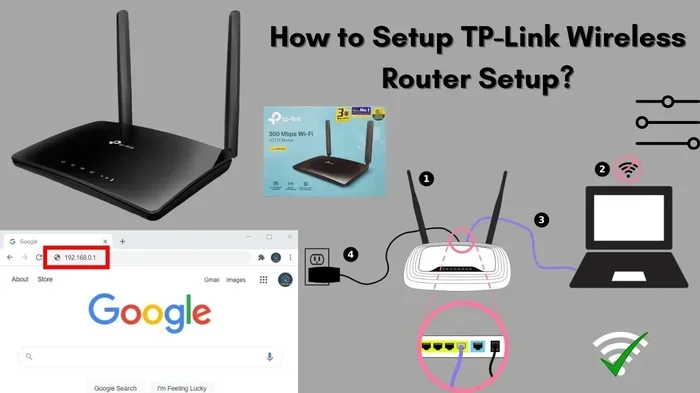
Open a web browser on a device connected to your network. Type your router’s IP address into the address bar. Common addresses are 192.168.1.1 or 192.168.0.1. You will need your router admin username and password. These are often printed on a sticker on the router itself, or they may be “admin” and “admin” as defaults.
Step 2: Find the Wireless Settings
Once logged in, look for a section called “Wireless,” “Wireless Settings,” or “WiFi Settings.” The exact name varies by router brand. Inside this section, you will see the current SSID field.
Step 3: Enter Your New SSID
Delete the current name and type in your new network name. Keep it short, memorable, and free of personal information. Avoid using special characters that some older devices may not support. A good SSID is clear, unique, and easy to type on a phone screen.
Step 4: Save and Reconnect
Click Save or Apply. Your router will restart the wireless settings. On your devices, the old SSID will disappear from the list, and the new one will appear. Connect using your existing WiFi password, and you are all set.
Quick Tip
After changing your SSID, all your previously connected devices will forget the network. You will need to reconnect each device using the new name and your existing password. Make sure you remember your WiFi password before making the change!
Best Practices for Naming Your SSID
- Keep it under 32 characters: Some older devices have trouble with longer names.
- Use letters and numbers: Avoid special characters that may cause compatibility issues.
- Make it recognizable: Choose a name that you and your household can easily identify.
- Do not include personal details: No names, addresses, or phone numbers.
- Be creative but professional: Something like “BlueSky_5G” or “HomeNetwork_2024” works well.
Hidden SSIDs: Are They Worth It?
As mentioned earlier, you can choose to hide your SSID by disabling SSID broadcasting in your router settings. When you do this, your network name will not show up in the list of available networks on other devices.
Some people think hiding their SSID makes their network invisible and therefore more secure. In reality, hiding the SSID only stops casual users from seeing it. Any device within range can still detect the network through other means. Your devices still need to send the SSID out to connect, which means it is not truly hidden.
The main benefit of a hidden SSID is reducing the number of people who see your network name. This can discourage opportunistic connections from neighbors or passersby. But if someone is determined to find your network, a hidden SSID will not stop them.
For real security, focus on strong encryption (WPA3 or WPA2), a complex WiFi password, and keeping your router firmware up to date. These measures do far more to protect your network than hiding the SSID ever could.
Common SSID Problems and How to Fix Them
Even though SSIDs are simple in concept, they can cause real headaches when things go wrong. Here are some common issues and how to solve them.
Your SSID Is Not Showing Up
If your network name is not appearing on other devices, the SSID broadcasting may be turned off. Check your router settings and make sure SSID broadcast is enabled. Also, ensure your router is powered on and the WiFi function is active. Sometimes a simple restart of the router fixes the issue.
Two Networks With the Same SSID
In apartment buildings or densely populated areas, you might see multiple networks with the same or similar names. This happens when neighbors use the same router brand, which means they have the same default SSID. This can confuse your devices and cause connection issues. Changing your SSID to something unique solves this problem completely.
Devices Connecting to the Wrong Network
If your phone or laptop keeps connecting to a neighbor’s network instead of yours, it might be because the SSIDs are too similar. Rename your network to something clearly different. You can also go into your device settings and forget the wrong network so it does not auto-connect again.
Slow Speeds Due to SSID Overlap
In some cases, having too many networks with similar names in one area can cause signal interference. While the SSID itself does not cause interference, the crowded wireless environment around similar network names can degrade performance. Changing your channel settings on the router can help reduce this issue.
Expert Insight
Network administrators often recommend using a consistent naming convention across all your devices and networks. This makes it easier to identify which network belongs to which purpose, whether it is a home network, a guest network, or an IoT device network.
The Future of SSIDs and Wireless Networking
As wireless technology evolves, so does the role of the SSID. New standards like WiFi 6 and WiFi 7 bring faster speeds, better security, and improved handling of multiple devices. The basic concept of the SSID remains the same — it is still the name that identifies your network. But the way networks manage and broadcast SSIDs is becoming more sophisticated.
Future routers may offer smarter SSID management, such as automatically creating separate network names for different types of traffic or devices. Some mesh WiFi systems already use multiple SSIDs to optimize coverage and performance across large homes. Understanding the SSID meaning today prepares you for these evolving technologies.
One thing is certain: no matter how advanced WiFi becomes, the SSID will always be the friendly name that connects you to the network. It is one of those small, behind-the-scenes details that makes modern wireless life possible.
Key Takeaways
- SSID stands for Service Set Identifier: It is the human-readable name of your wireless network.
- Every WiFi network has an SSID: Even hidden networks use one — they just do not broadcast it.
- Default SSIDs are a security risk: They reveal your router brand and make you an easier target.
- You can change your SSID anytime: It takes just a few minutes through your router settings.
- SSID hiding adds a small layer of privacy: But it is not a substitute for real security measures.
- SSID and WiFi are not the same thing: WiFi is the technology; SSID is the name.
- A good SSID is unique, recognizable, and free of personal info: Keep it simple and safe.
FAQ
What is the SSID meaning in simple terms?
The SSID meaning is “Service Set Identifier,” which is just the name of your wireless network. It is the name that appears in your list of available WiFi networks on your phone, laptop, or tablet.
Can two networks have the same SSID?
Yes, two networks can have the same SSID, especially if they use the same router brand with default settings. However, having duplicate SSIDs can confuse your devices and cause connection issues. It is best to use a unique SSID for each network.
Is hiding my SSID a good security practice?
Hiding your SSID provides minimal security benefit. Skilled attackers can still find a hidden network using scanning tools. Strong encryption (WPA3 or WPA2) and a complex WiFi password are far more effective security measures than hiding your SSID.
What is the difference between SSID and WiFi password?
The SSID is the name of your wireless network, while the WiFi password is the secret key that allows devices to connect to that network. Both are needed to access your WiFi, but they serve completely different purposes in the connection process.
How do I find my SSID if I forgot it?
If you are already connected to the network, check your device’s WiFi settings — the connected network name is your SSID. If you are not connected, check the sticker on your router for the default SSID, or log into your router settings to find the current network name.
Does changing your SSID disconnect all devices?
Yes, changing your SSID will cause all previously connected devices to forget the network. You will need to reconnect each device using the new SSID name and your existing WiFi password. This is why it is important to remember your password before making any changes.
Conclusion
The SSID meaning is simpler than most people think. It is just the name of your wireless network — the name that shows up when you search for WiFi. But do not let its simplicity fool you. Your SSID affects how easily you connect, how secure your network is, and how smoothly your devices communicate with your router.
Taking a few minutes to understand your SSID, change the default name, and follow basic security practices goes a long way. You do not need to be a networking expert to make these improvements. A unique SSID, strong encryption, and a solid WiFi password form the foundation of a safe and reliable wireless network.
Now that you know the SSID meaning and why it matters, take action today. Check your current network name, update it if needed, and share what you have learned with friends and family. A little knowledge about your SSID WiFi name can save you from headaches, security risks, and frustrating connection problems down the road. Your wireless network is yours — make it work for you.